Showing posts with label SAP. Show all posts

Monday, March 12, 2012

Receiving Multiple IDocs Using Single Channel/Program ID In SAP Adapter

This is a very common problem with Oracle SAP Adapter. For receiving iDocs from SAP, we need to create a channel on the Application adapter tool and each channel is associated with a corresponding program id in SAP system. When we have multiple Integrations with SAP system, it becomes a maintenance overhead for SAP BASIS administrators to create multiple program ids for each of these integrations/idoc_types.

To overcome this situation and make sure we can receive multiple iDocs via same channel/program id, an elegant solution has been explained in the attached link.
https://blogs.oracle.com/ateamsoab2b/entry/soa_11g_sap_single_channel

Thursday, September 29, 2011

SAP IDoc Data With Japanese Kanji or Chinese Characters Overflows

Recently came across an issue while integrating SAP R3 (4.2) version with SOA 11g (11.1.1.4). When idocs are received by SAP Adapter from the SAP system containing Japanese Kanji/Chinese special characters, it was found that the data overflows on to next segments/xml tags and is distorted. This causes mapping issues as incorrect data is being mapped to. The root cause behind this behaviour is that SAP R/3(4.2) is a non-unicode system while SOA 11.1.1.4 is Unicode.

The issue is covered in below Oracle documentation as well
http://download.oracle.com/docs/cd/E14571_01/relnotes.1111/e10132/adapters_iway.htm#CIHBCICF

Here is the explanations provided by Oracle

"This issue only occurs on non-Unicode SAP MDMP environments, where one character can be two or more bytes. As an example of this issue, when using Japanese, the SAP field length is four characters. The English word "ball" fits correctly into the field because one character equals one byte. The Japanese word for ball in Shift-Jis encoding is three characters, but two bytes per character, so the last character is truncated and the last character appears in the next field. Since IDocs are positional delimited, this can cause errors in processing. This occurs because SAP uses character length, not byte length for all non-Unicode field lengths. There is no work around on this issue other than using Unicode or using shorter text in IDocs in DBCS."

None of the workaround suggested above were feasible options. So tried the below approach to fix this...

From SAP before sending the idoc, convert all Japanese strings to hexadecimal characters. Once SOA suite receives the idoc, the BPEL uses a java embed/custom XSLT function (java code) to convert the hexadecimal back to Japanese characters.There is lot of sample code available for doing these kind of hex to string conversion. Just make sure you are using the correct charset (like shift-jis for japanese kanji) while doing the conversion.
Now you should be able to see the idocs properly and use the converted japanese,chinese special characters correctly in your mappings.

Tuesday, June 21, 2011

Installing SAP Adapter on SOA 11gR1 PS3 (11.1.1.4)

First and foremost to clarify the naming conventions set by Oracle for SOA 11g versioning...
11g R1 PS1 - 11.1.1.2 
11g R1 PS2 - 11.1.1.3
11g R1 PS3 - 11.1.1.4

Now 11.1.1.4 version of SOA comes with a lot of bug fixes, performance enhancements (JRockit JVM instead of Sun JDK) and additional features. "Seeing is believing !" so decided to install this and check the performance gains. Now the tricky part was with the installation of SAP adapter on top of this.

Oracle documentation is again messed up with regards to installing this. Couldn't locate a direct URL from OTN to download the installer file. It seems the 11.1.1.4 version for the adapter installer isn't released yet and the SAP adapter updates for 11gR1 PS3, have been released as an OPatch. 

So incase you are looking for installing the iway adapters (SAP, Siebel, PSFT, JDE adapters) follow the below approach:

1. Install the 11g PS2 version of adapter. For this you need to apply the patch 10207507 which is nothing but copying the ApplicationAdapter.zip inside thirdparty folder and unzipping it.


2. Download the latest OPatch version i.e  p6880880_112000_Linux-x86-64


3Download the patch 11880221 from metalink to upgrade the exisiting PS2 install to PS3 version. Steps for applying this patch are as under:  
               a.  set MW_HOME 
               b.  set ORACLE_HOME
               c.  set OPatch in PATH
               d.  Apply the OPatch by running below command:
opatch apply -jre {path of Jrockit jre} -invPtrLoc $ORACLE_HOME/oraInst.loc

Wednesday, May 18, 2011

Siebel to SAP R/3 Integration Approaches

I was recently evaluating various approaches to integrate Siebel and SAP R/3 systems especially using Oracle SOA Suite. Siebel already provides a Siebel EAI Connector for SAP R/3. This is a tight coupling between Siebel and SAP R/3. If you are planning to use Oracle SOA Suite, it provides the iway adapter for both Siebel and SAP R/3 end systems which makes it possible to decouple the 2 end systems and integrate them. Both approaches are explained below.

Siebel EAI Connector for SAP R/3

The Siebel EAI Connector for SAP R/3 provides connectivity using BAPI and IDOC transport adapters, and predefined business processes. Using the connectors, you can exchange customer, order, and product information between a Siebel application and SAP. This leverages Siebel Workflow and Business Service data maps which are the transformations for the data entities like (Account in Siebel to Customer in SAP or Product in Siebel to Material in SAP). There are some pre-built integrations between common business processes and it also allows custom integrations to be built.


More details can be found in below link:
http://download.oracle.com/docs/cd/B31104_02/books/PDF/ConnSAP.pdf

Integrating using Oracle Siebel Adapter

We can also leverage Oracle Fusion Middleware and the available iway adapters for Siebel and SAP end systems. Ensure that the Siebel Business Services (WSDL) or Business Objects (XSD) are available from Application Explorer for WSDL/XSD generation. Similarily ensure that the SAP BAPIs/IDocs are available in Application Explorer for WSDL/XSD generation. After that you can create the fusion processes to integrate the 2 end systems.

Below is a screenshot from Application Explorer once you create a target and connect to Siebel system.


More details about this approach can be found in below link:
http://download.oracle.com/docs/cd/E14571_01/doc.1111/e17056/intro.htm#i1013615

I have covered details about SAP integration with SOA Suite in my earlier posts
Receiving idocs in BPEL
Invoking BAPIs from BPEL

Friday, December 17, 2010

SAP Adapter : Configuring Database Repository

SAP Adapter(JCA config) supports both file based as well as database based repository. I have had some bad experiences with file based repository where maintaining the repository.xml has been more or less a nightmare. I have covered some of these errors in earlier posts.

targets-for-mysap-no-targets-configured.html

We sometimes end up with duplicate repository.xml files or 0kb repository.xml files after server restarts. This causes most BPEL processes to fail with Adapter exceptions. So I finally decided to migrate all file based repositories to DB repositories (Not sure why I didn't do this earlier :-( ). Now Oracle doesn't provide any migration tools as such. But this isn't a huge effort and we just need to create the targets/channels afresh and it is a one-time task.

Anyways below mentioned is the list of steps to be followed to configure DB repository for SAP adapter.

1. Create a new schema user on database where you want the repository to reside. (Eg: saprepo_user/xxxxx)

2. Execute the iwse.ora SQL script on the machine where the database is installed. The iwse.ora SQL script is located in the following directory:
$MW_HOME\Oracle_SOA1\soa\thirdparty\ApplicationAdapters\etc

This script creates the required tables that are used to store the adapterconfiguration information in the database. These tables are used by Application Explorer and by adapters during design time and runtime. It is recommended that you use the same credentials to create the database repository and also in the ra.xml file for database user credentials.

3. Create the jcatransport.properties file and save it in the following directory:
$MW_HOME\Oracle_SOA1\soa\thirdparty\ApplicationAdapters\config\Config_Name

4. Enter values for iwafjca.repo.url, iwafjca.repo.user and iwafjca.repo.password fields in the newly created jcatransport.properties file, as shown in the following example:

iwafjca.repo.url=jdbc:oracle:thin:@dbhostname:port:sid
iwafjca.repo.user=saprepo_user
iwafjca.repo.password=xxxx

5. Navigate to the following directory:
$MW_HOME\Oracle_SOA1\soa\thirdparty\ApplicationAdapters\iwafjca.rar\META-INF

6. Open the ra.xml file and provide the JDBC connection information: (Same values as step3)
IWAYRepo_URL property.
IWAYRepo_User property.
IWAYRepo_Password property.

Save your changes to the ra.xml file.

7. Copy the ojdbc14.jar file to the directory $MW_HOME\Oracle_SOA1\soa\thirdparty\ApplicationAdapters\lib

8. Redeploy the iwafjca rar file from Admin console->deployments section and Restart Weblogic server.

9. Now open Application Explorer and create the SAP target again with similar details as before. You can then connect to the DB repository and check the af_config table to find your details stored there.

NOTE:
The above steps are for SOA 11g. For SOA 10g the directory structures will be different.
* jcatransport.properties file in following directory \adapters\application\config\
* copy ojdbc14.jar to \adapters\application\lib\
* Update oc4j-ra.xml (\j2ee\oc4j_soa\application-deployments\default\jca-app-adapter)

I haven't faced any issues so far after migrating from File to DB repository. Will definitely post if I find any discrepancies. Till then some relief :-)

Thursday, October 28, 2010

SAP JCO Connectivity Test

This will be a small post on testing SAP JCO connection. Usually for connecting to SAP systems from Oracle SOA suite, we make use of the SAP adapter and create a SAP target from Application Explorer(AE). After entering the basic credentials like username,password, clientid, system number and application server we can try connecting to SAP system from AE itself. This internally calls the SAP JCO classes to establish the connection.

We can also directly test the connection outside of AE by using the SAP JCO classes. Below sample code can be used for testing the SAP JCO connectivity.

package JCOConnectionTest;
import com.sap.mw.jco.*;
public class JCOConnector {
  public JCOConnector() {
    super();
  }
  JCO.Client mConnection;
  public void Connect1() {
  try {
  // Change the logon information to your own system/user
          mConnection =
             JCO.createClient("010", // SAP client
               "SAP_USER", // userid
               "sap_pswd", // password
               null, // language
               "sap_server", // application server host name
               "00"); // system number
          mConnection.connect();
          System.out.println(mConnection.getAttributes());
          mConnection.disconnect();
       }
       catch (Exception ex) {
         ex.printStackTrace();
         System.exit(1);
       }
  }
      public static void main (String args[]) {
       JCOConnector app = new JCOConnector();
       app.Connect1();
      }
}  

Make sure the sapjco.jar file is present in your classpath(add to project classpath if you are running this from Jdeveloper.) On successful connection you are shown the details of the server with an exit code of 0 and incase of failure you are shown some RFC errors like RFC_LOGON_FAILURE etc.

Wednesday, October 6, 2010

Error Handling in SAP Adapter

I have come across a couple of scenarios where even though data gets posted successfully to SAP via BAPIs, but the adapter still throws an error message. At the BPEL layer the adapter throws a generic error like  "Error in Processing Input Document"

Something similar to below is shown in JCA log files:

<RETURN>
      <item>
         <TYPE>S</TYPE>
         <ID>RW</ID>
         <NUMBER>605</NUMBER>
         <MESSAGE>Document posted successfully: 060014911815002010 PRDCLNT500</MESSAGE>
         <LOG_NO/>
         <LOG_MSG_NO>000000</LOG_MSG_NO>
         <MESSAGE_V1></MESSAGE_V1>
         <MESSAGE_V2>060014911815002010</MESSAGE_V2>
         <MESSAGE_V3>PRDCLNT500</MESSAGE_V3>
         <MESSAGE_V4/>
         <PARAMETER/>
         <ROW>0</ROW>
         <FIELD/>
         <SYSTEM>PRDCLNT500</SYSTEM>
      </item>
      <item>
        <TYPE>W</TYPE>
         <ID>KI</ID>
         <NUMBER>155</NUMBER>
         <MESSAGE>Profitability segment is derived as new</MESSAGE>
         <LOG_NO/>
         <LOG_MSG_NO>000000</LOG_MSG_NO>
         <MESSAGE_V1/>
         <MESSAGE_V2></MESSAGE_V2>
        <MESSAGE_V3/>
         <MESSAGE_V4></MESSAGE_V4>
         <PARAMETER/>
         <ROW>0</ROW>
         <FIELD/>
         <SYSTEM>PRDCLNT500</SYSTEM>
      </item>
   </RETURN>

MySAP response error: BapiWarning: Profitability segment is derived as new

IWAFManagedConnectionFactory com.ibi.sap.SapConnection rollback(266) Call BAPI_TRANSACTION_ROLLBACK

IWAFManagedConnectionFactory com.ibi.sap.SapAdapter20 inProcess(397) java.lang.Exception: BapiWarning: Profitability segment is derived as new
at com.ibi.sap.DocumentRunner.processIfrDocument(DocumentRunner.java:274)
at com.ibi.sap.SapAdapter20.inProcess(SapAdapter20.java:369
…
…

This ultimately rolls back to the error "Error in Processing Input Document" at BPEL layer.

To overcome this situation SAP adapter provides an option for error handling . From Application explorer if you edit the SAP target then there are 2 choices under Advanced tab : Throws Exception and Creates Error Document.


If you set it to "creates error document" and restart the server, the BAPI invocations should work correctly and above RETURN section should be shown in the BPEL layer as well.

Friday, September 3, 2010

Targets for MySAP : No targets configured for this adapter.

This is a common error when configuring/working with SAP adapter. The error is seen while running composite BPEL processes which try to connect to SAP or from the iwafjca page.
http://hostname:port/iwafjca/service.jsp

Targets for MySAP
No targets configured for this adapter.

If you have SAP Channels configured for inbound events from SAP to BPEL then you may see errors like below :

SEVERE IWAFManagedConnectionFactory com.iwaysoftware.afjca15.AbstractResourceAdapter endpointActivation(194) An Exception was caught while activating the endpoint
java.lang.IllegalArgumentException: Channel 'SalesOrder_Channel' not available for adapter 'MySAP'.
at com.iwaysoftware.af.container.ChannelManager.checkConfig(ChannelManager.java:421)
...
...
Make sure your ra.xml file under SOA_HOME/soa/thirdparty/ApplicationAdapters/iwafjca.rar/META-INF directory has config properties IWayHome and IWayConfig set correctly. The above errors indicate that the adapter is not able to read the information in repository (file/db).

Check in your configuration folder SOA_HOME/soa/thirdparty/ApplicationAdapters/config/YourConfigName/ if there are multiple files like repository.xml1, repository.xml2 etc in addition to repository.xml. Similarly check if there are multiple st_repository files like st_repository.xml1, st_repository.xml2 in addition to st_repository.xml.

In that case, you might have done some CRUD operation when the iwafjca.rar is deployed and running. When ever you are doing CRUD operations in iwae, please make sure the iwafjca.rar is not deployed or is in inactive mode especially when you are using file repository.

To fix the errors :

1. Make sure your repository.xml contains correct target information.
2. Then redeploy the iwafjca.rar from admin console
3. Restart the managed server. It should work now !

Tuesday, August 31, 2010

Date formats in SAP and Inverted date format

People doing integrations with SAP R/3 system must be aware that SAP R/3 takes in/out date fields with format of YYYYMMDD (This is their internal date format). However there is a special date format called Inverted date which is used to store some date fields in SAP tables.

If you work on Currency Exchange Conversions (TCURR table) the Date Field (GDATU) stores date in Inverted date format. So what exactly is this Inverted date format and how can you convert it to normal date format of YYYYMMDD which can be later used in your integration.

Inverted date is nothing but the 9's complement of the real date. In other words the conversion logic will be something as shown below

99999999 – (GDATU) = actual date in yyyymmdd format
Example: 99999999 – 79899168 = 20100831

There are conversion exits in ABAP which does this date conversion like CONVERSION_EXIT_INVDT_OUTPUT -- Conversion exit routine for inverted date (OUTPUT)

However if your SAP BAPI gives you data in inverted date format you can use the logic mentioned above in your BPEL/XSL at Fusion layer to convert it into actual date format.

Wednesday, July 21, 2010

SAP Adapter : JCO_ERROR_RESOURCE Connection pool is exhausted

I came across an interesting issue recently faced by one of my colleagues. He was trying to integrate between MSSQL server and SAP R/3 system using SOA 11G. He used to get a batch of order data from MSSQL server and had to post these to SAP BAPI and receive order number in response. Things were working fine as long as the batch size was small. But when he started getting batch size >1000, the SAP adapter started throwing errors.

Exception occured when binding was invoked. Exception occured during invocation of JCA binding: "JCA Binding execute of Reference operation failed due to: JCA Binding Component connection issue. JCA Binding Component is unable to create an outbound JCA (CCI) connection. The JCA Binding Component was unable to establish an outbound JCA CCI connection due to the following issue: java.lang.IllegalStateException: Problem activating adapter. (java.lang.IllegalArgumentException: com.ibi.sap.SapAdapterException: com.sap.mw.jco.JCO$Exception: (106) JCO_ERROR_RESOURCE: Connection pool c22bbdb28dd27119d92c36c8ce75ad9e_p1 is exhausted. The current pool size limit (max connections) is 10 connections.). Check logs for more information ".

The default connection pool size for SAP adapter is 2 and this can be changed from the Application explorer. As can be seen above the connection pool size was increased to 10 but still this had failed. Basically when 10 concurrent threads are running and 11th thread tries to fetch the connection and unable to get it, that particular instance of BPEL fails with above error.

We tried a couple of things:

1. Tried controlling the number of records being polled from SQL server using distributed polling feature and controlling the number of records read per transaction. However incase of high load there were some BPEL instances which were still failing.

2. Second option tried was instead of directly connecting to the SAP R/3 system we tried connecting to a Load balancer infront of the SAP servers. This helped in distributing the load across SAP servers. For doing this configure the SAP target as shown below:


Fill the fields marked with *. Message Server is the load balancer name. Also note you need to edit the /etc/services file using root user and add below entry.
sapms<R/3 name> <port>/tcp

This ensured that the message server will share the load across SAP servers at runtime.


3. Incase the requirement is to control the concurrency on SAP side and allow only a single connection i.e prevent   parallel BPEL instances submitting concurrent requests to SAP R/3 we can create a Singleton BPEL process. More details on how to do this is well explained in Matt's Blog

Friday, July 16, 2010

Receiving SAP iDocs in Oracle BPEL process

This post is an extension to my earlier post on invoking-sap-bapis-from-oracle-bpel . Here I will be covering detailed steps involved in receiving SAP iDocs into Oracle BPEL process. Unlike Service adapters in case of BAPI we will be dealing with Event adapters incase of SAP iDocs. We can use events generated in SAP system due to some DB activity/application process to trigger a BPEL process. For doing this we need to create a SAP channel in Application explorer and select this channel to create a JCA Inbound WSDL(Event Notification – BPEL receive). Few things to be noted about SAP Channel:
  • It only applies to J2CA configuration
  • You must create channels for every different event object. Also each channel must be associated with a unique SAP R/3 program id.
  • After creating/modifying channels weblogic server must be restarted for the changes to take effect at runtime.
                

In above screenshot showing Channel creation steps, note the value of Program Id of server (BPEL01). This will be registered in the SAPGUI as a RFC destination. This helps SAP to direct the events to the target system. For detailed steps on how to register Program Id on SAPGUI please check the Appendix section Configuring SAP R/3 Outbound Processing from SAP R/3 User's Guide for Weblogic server


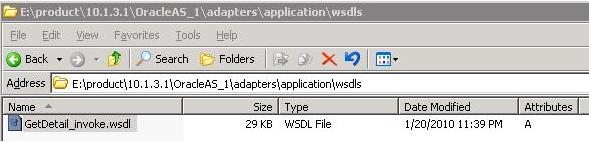
Once the SAP Channel has been created under Events section goto the Adapters section and generate the Inbound WSDL for your iDoc (you will have to use the SAP channel while creating inbound WSDL). This process generates 3 files: *.wsdl, *.jca and *.xsd under the $SOA_HOME/soa/thirdparty/ApplicationAdapters/wsdls directory.


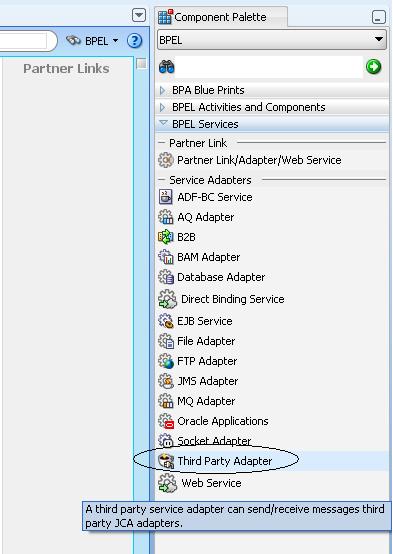
Next copy these files to your local machine and in your Jdeveloper create a BPEL process with a third party adapter service which uses the *.wsdl and *.jca files for configuration. Complete the BPEL process to receive the idoc from the third party adapter service and do further processing.


Restart your Weblogic server and now when a transaction/action is performed on SAP server like generating a sales order that should trigger the BPEL process.

Wednesday, June 9, 2010

Invoking SAP BAPIs from Oracle BPEL

The Oracle AS Adapter for SAP (SAP Adapter) exposes the SAP BAPIs/iDocs as a service via WSDL with JCA binding. The Application Explorer is used to configure the SAP Adapter. WSDL files can be created for both JCA Outbound (Request-Response service – BPEL invoke) and JCA Inbound (Event Notification – BPEL receive) Interactions and saved to a specific directory on server.The Jdeveloper based design-time wizard has a WSIF browser that is launched from the BPEL Partner Link activity to explore the WSDLs generated by the Adapter Application Explorer.

This post describes how to configure the SAP Adapter to generate WSDL out of a SAP BAPI and use it inside an Oracle BPEL process.

Application Explorer Configuration :

Create a new JCA project and this name will be later used while configuring connection factory in oc4j-ra.xml/ra.xml(for weblogic)


Provide the SAP System login credentials.


As you can see below once the connection to SAP has been established we can browse through the BOR(Business Object Repository) and select a particular BAPI Interface and generate WSDL from it for integration purpose.


In 11g apart from the .wsdl file 2 more files are generated, one a .jca file and other .xsd (with schema for request-response) in $SOA_HOME/soa/thirdparty/ApplicationAdapters/wsdls directory.
Jdeveloper Configuration :
In Jdeveloper create a BPEL process and add a partner link. Using service explorer tab in the partner link configuration search for the WSDL generated from Application Explorer under adapters section. 

Note for SOA 11G, in order to access the BAPI WSDLs (or similar JCA adapter files)you need a third party adapter service which comes with Jdeveloper version 11.1.1.2.0 . So make sure you have this version of Jdev for development.


Also in 11G you need to copy the *.wsdl, *.jca and *.xsd files to the local machine for configuring the third party adapter service.
Once the above changes are done, before running the BPEL process you have to modify the oc4j-ra.xml/ra.xml(for weblogic) and make sure the property IWayConfig is set to the JCA Project name which we created earlier in Application Explorer. Bounce the BPEL/ WLS server and run the BPEL process.

Tuesday, June 8, 2010

Tips and Tricks for SAP Adapter

In this post I would like to cover some common installation and runtime issues with Oracle Application adapter for SAP.

Installation guides for SAP adapter : 

SAP Adapter installation on Weblogic 
SAP Adapter installation on 10G AS


Error 1
./runInstaller
Starting Oracle Universal Installer...
Checking installer requirements...
Checking operating system version: must be redhat-Red Hat Enterprise Linux AS release 2.1, redhat-Red Hat Enterprise Linux AS release 3, redhat-Red Hat Enterprise Linux AS release 4, redhat-Red Hat Enterprise Linux ES release 3, SuSE-9 or UnitedLinux-1.0
Failed <<<<
Exiting Oracle Universal Installer, log for this session can be found at /opt/apps/OracleAS_1/oraInventory/logs/installActions2010-03-23_09-32-24AM.log


Solution:
./runInstaller -ignoresysprereqs

Error 2
While trying to run the installer on Weblogic server you may run into below error.
$ ./iwora11g.application-adapters.linux.bin
InstallShield Wizard
Initializing InstallShield Wizard...
Searching for Java(tm) Virtual Machine...
The wizard cannot continue because of the following error: could not load wizard specified in /wizard.inf (104)

Solution:
JDK1.6 is a requirement for Oracle Application adapters on weblogic server. You can run the installer as follows to avoid the above error:
$./iwora11g.application-adapters.linux.bin -is:javahome {specify path of jdk1.6}


Error 3
On linux while trying to open Application Explorer by running the iwae.sh script it fails with
./iwae.sh: line 70: 23111 Segmentation fault


Solution:
Before running the script you have to set the environment variable JAVACMD.
Eg: export JAVACMD= /opt/apps/OracleAS_1/jdk/bin/java

Error 4
A very common error which happens if post-installation tasks are not followed correctly.
java.lang.ExceptionInInitializerError: JCO.classInitialize(): Could not load middleware layer 'com.sap.mw.jco.rfc.MiddlewareRFC' JCO.nativeInit(): Could not initialize dynamic link library sapjcorfc [Can't find dependent libraries] java.library.path.....

Solution:
As part of the SAP adapter post installation task we need the below 3 files:
  • sapjco.jar
  • librfc32.dll / librfccm.so
  • sapjcorfc.dll / libsapjcorfc.so
The SAP Java Connector files can be downloaded from SAPNet at http://service.sap.com/connectors/
A valid SAP service ID is required to access this file. Once logged in, this link redirects you to SAP Service Marketplace. Click the following links to access the SAP Java Connector (SAP JCo) tools and services page:

SAP NetWeaver > SAP NetWeaver in Detail > Application Platform > Connectivity > Connectors > SAP Java Connector > Tools & Services

You can get the JCo ZIP file from the above navigation and extract the 3 files from it. 


For Weblogic
  • Copy the librfccm.so, libsapjcorfc.so and sapjco.jar to WLS_HOME/server/lib and MW_HOME/user_projects/domains/domain_name/lib
  • Also set the LD_LIBRARY_PATH in WLS_HOME/common/bin/commEnv.sh
  • Set the WEBLOGIC_CLASSPATH in same file.
For 10G AS on Windows
  • Copy the sapjco.jar file to ORACLE_HOME\adapters\application\lib directory.
  • Copy the librfc32.dll to C:\Windows\system32 directory and ORACLE_HOME\adapters\application\lib
  • Copy the sapjcorfc.dll to ORACLE_HOME\adapters\application\lib
For 10G AS on Linux
  • Copy the librfccm.so, libsapjcorfc.so and sapjco.jar to ORACLE_HOME/adapters/application/lib directory.
  • Also copy sapjco.jar file to ORACLE_HOME/j2ee/OC4J_SOA/connectors/jca-app-adapter/jca-app-adapter directory.
  • On Linux you also have to set the LD_LIBRARY_PATH . You can edit the opmn.xml file and set the LD_LIBRARY_PATH pointing to the path where the libraries are copied.
Error 5
Error as shown is screenshot can occur while trying to connect to SAP target from Application Explorer.

or the below error message:

SEVERE IWAFManagedConnectionFactory com.iwaysoftware.af.container.adapter.AdapterConfiguration activateAdapter(321) Problem activating adapter.  (java.lang.ExceptionInInitializerError:JCO.classInitialize(): Could not load middleware layer 'com.sap.mw.jco.rfc.MiddlewareRFC' JCO.nativeInit(): Could not initialize dynamic link library sapjcorfc [/opt/apps/Oracle/Oracle_SOA1/soa/thirdparty/ApplicationAdapters/lib/ libsapjcorfc.so:wrong ELF class: ELFCLASS32 (Possible cause: architecture word width mismatch)]. java.library.path


Solution: 
The problem is because of 64bit/32bit conflict. SAP Adapter can run on 64-bit JVM but only after the correct 64-bit JCO file is used. Incase your OS is 64 bit make sure you download the 64-bit rather than 32-bit JCO files. Also remember Intel has two 64 bit architectures (IA-64 and EMT64/AMD64). So make sure you have downloaded the correct 64bit version files.

Error 6
At runtime most of the BPEL processes invoking SAP adapter (BAPI WSDLs) are failing with error 

Error in parsing the input document.
oracle.xml.parser.v2.XMLParseException: Start of root element expected. 

Solution:
This happens if you haven't applied the madantory base patch 5895585: PLACEHOLDER FOR IWAY ADAPTER RELEASE 10.1.3.1 Incase you have missed this patch initially and are applying later on then please do the below steps:
  • Recreate the target in Application Explorer
  • Regenerate the WSDL files under this new target.
Error 7
Hitting the below error while trying to call SAP BAPIs at different times. 
The Adapter Framework was unable to establish an outbound JCA connection due to the following issue: javax.resource.spi.EISSystemException: IWAFManagedConnectionFactory:Exception javax.resource.ResourceException: Problem activating adapter. (com.ibi.sap.SapAdapterException: com.sap.mw.jco.JCO$Exception: (106) JCO_ERROR_RESOURCE: Connection pool dee68d32f3d3a54a57cb1ad6d5044ae_p1 is exhausted. The current pool size limit (max connections) is 2 connections.)

Solution: 
You need to increase the JCO Connection pool size limit as this controls the number of simultaneous client connections which can be made to a particular RFC destination. This can be set in Application Explorer by editing the target settings.